 AWOD OS
WORKOUT OF THE DAY, WRITTEN FOR YOU
TRAIN TOGETHER.
THE PLAN WRITES ITSELF.
KEEP THE STREAK ALIVE.
Your AI coach programs the daily workout around your goals and gear. You and your partner log it, and the shared streak keeps you both honest.
iOS · free beta via TestFlight
HOW IT WORKS
01
THE COACH WRITES YOUR DAY
Your coach programs the whole day: warm-up, strength, WOD, cool-down. Swap any movement with a tap and the plan adapts.
02
LOG IT
Do the workout, log your rounds and time. Your partner sees your result the moment you finish.
03
KEEP THE STREAK
Miss a day and you both lose it. AWOD tracks your shared streak and full history.

PARTNER MODE
THE STREAK IS SHARED
Link one person with an invite code. You each see the days the other logged, and the streak only survives if you both show up. When they are late, nudge them.
One partner at a time. Unlink whenever.
INSIDE THE APP
Real screenshots from the beta. Shot on iPhone 17 Pro, iOS 26.
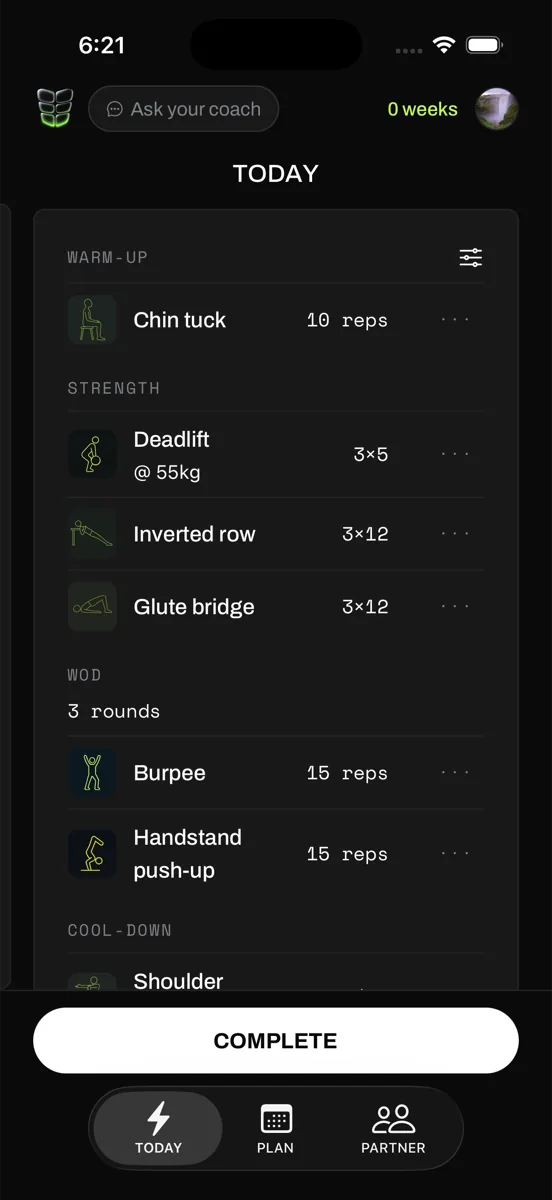
TODAY
The whole session on one card: warm-up, strength, WOD, cool-down. Line-art movement icons, mono numerals, one lime accent.
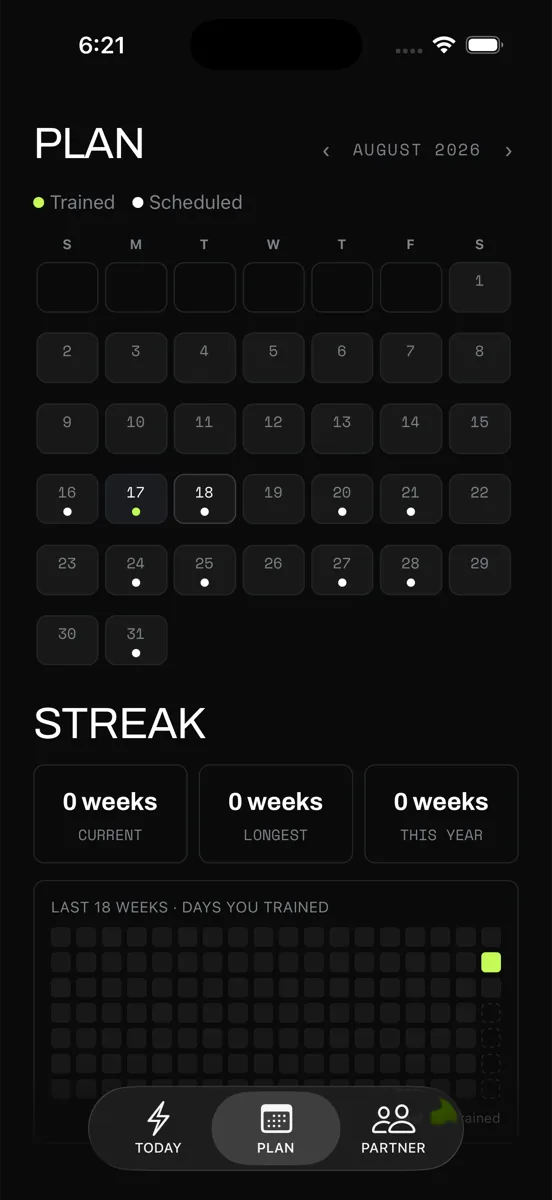
PLAN
A month at a glance: trained vs scheduled days, weekly streak stats, and an 18-week heatmap of every day you trained.
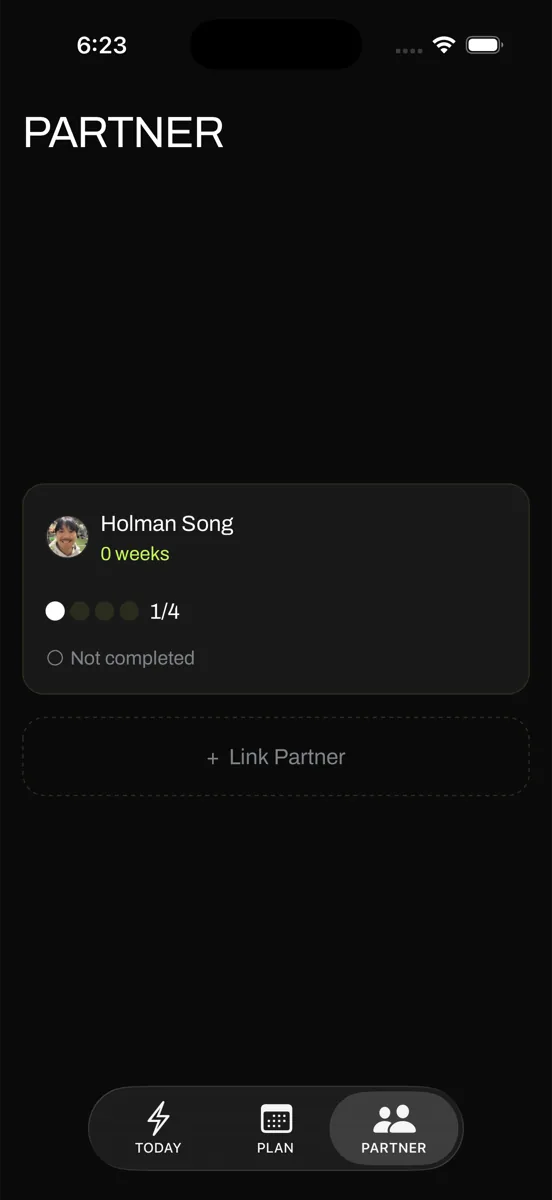
PARTNER
Accountability built in: link a training partner and watch each other's week fill up, session by session.
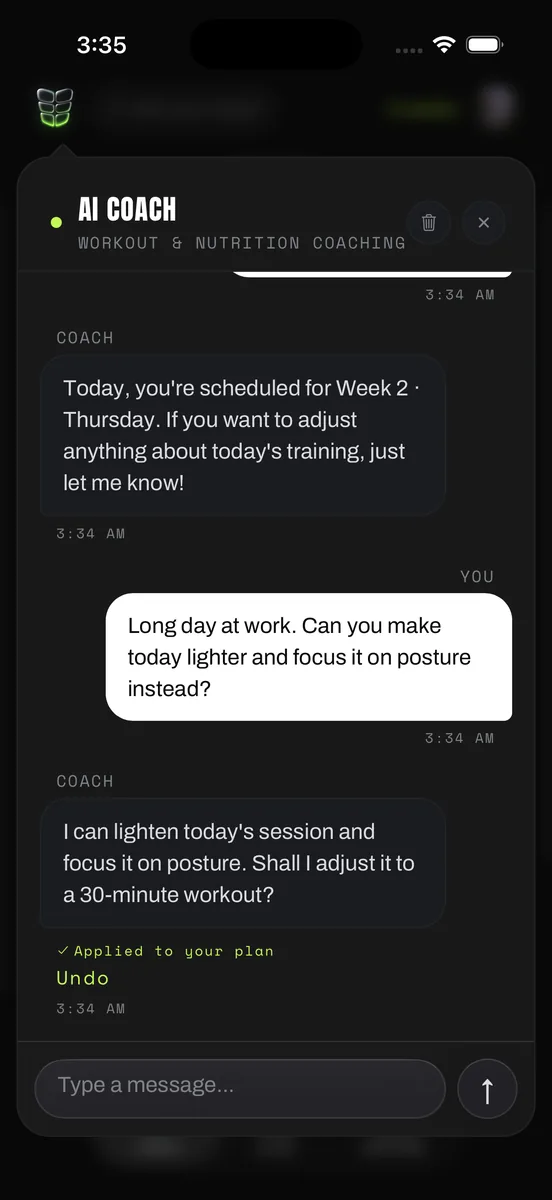
AI COACH
A full chat that edits your plan: ask for a lighter day, the coach reshapes it, and the "Applied to your plan" receipt keeps a one-tap Undo.
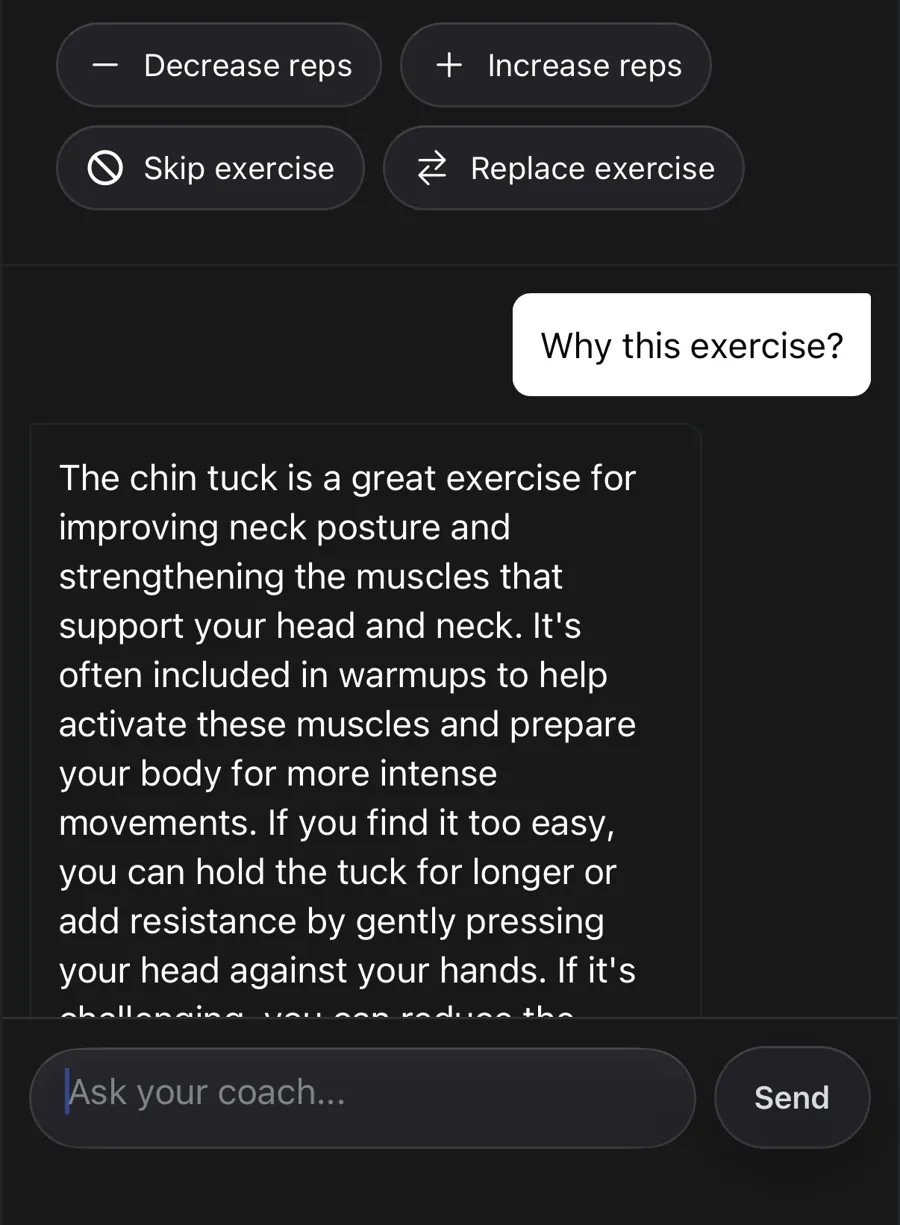
A COACH THAT KNOWS YOUR PROGRAM
ASK WHY. SWAP IT. UNDO IT.
Every exercise opens a sheet that pairs one-tap quick actions with a real conversation. The coach reads your actual program and swap history, so "why this exercise" gets a specific answer. Ask for a lighter day and it edits the plan in place, with a receipt and a one-tap Undo.
- Install TestFlight from the App Store. It is Apple's official app for betas.
- Open testflight.apple.com/join/16sSYQhY on your iPhone.
- Tap Accept, then Install. AWOD lands on your home screen.
beta builds update automatically · nothing to configure
 on a computer? scan with your iPhone
$ is it free?
Yes. The beta is free while we build with early users.
$ do i need a partner?
No. Solo works fine; a partner just makes skipping a day embarrassing.
$ what gear do i need?
Whatever you have. The coach programs around your equipment, from a full gym to none.
$ android?
iOS first. Android is on the list.
$ latest beta
+ check-in notifications with one-tap actions
+ the coach swaps exercises in chat, with undo
+ partner unlink and a cleaner buddy tab
+ full Korean localization, Dynamic Type to AX5
shipping weekly · feedback lands in the next build